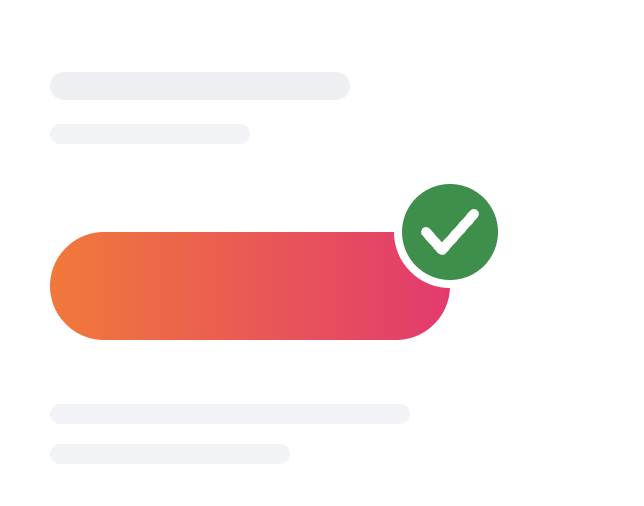
Adopt what works
components already used across most pages became the standard
Building a Design System for PIA
Company
Private Internet Access
Role
Product Designer
Team
Designers · Developers · Stakeholders
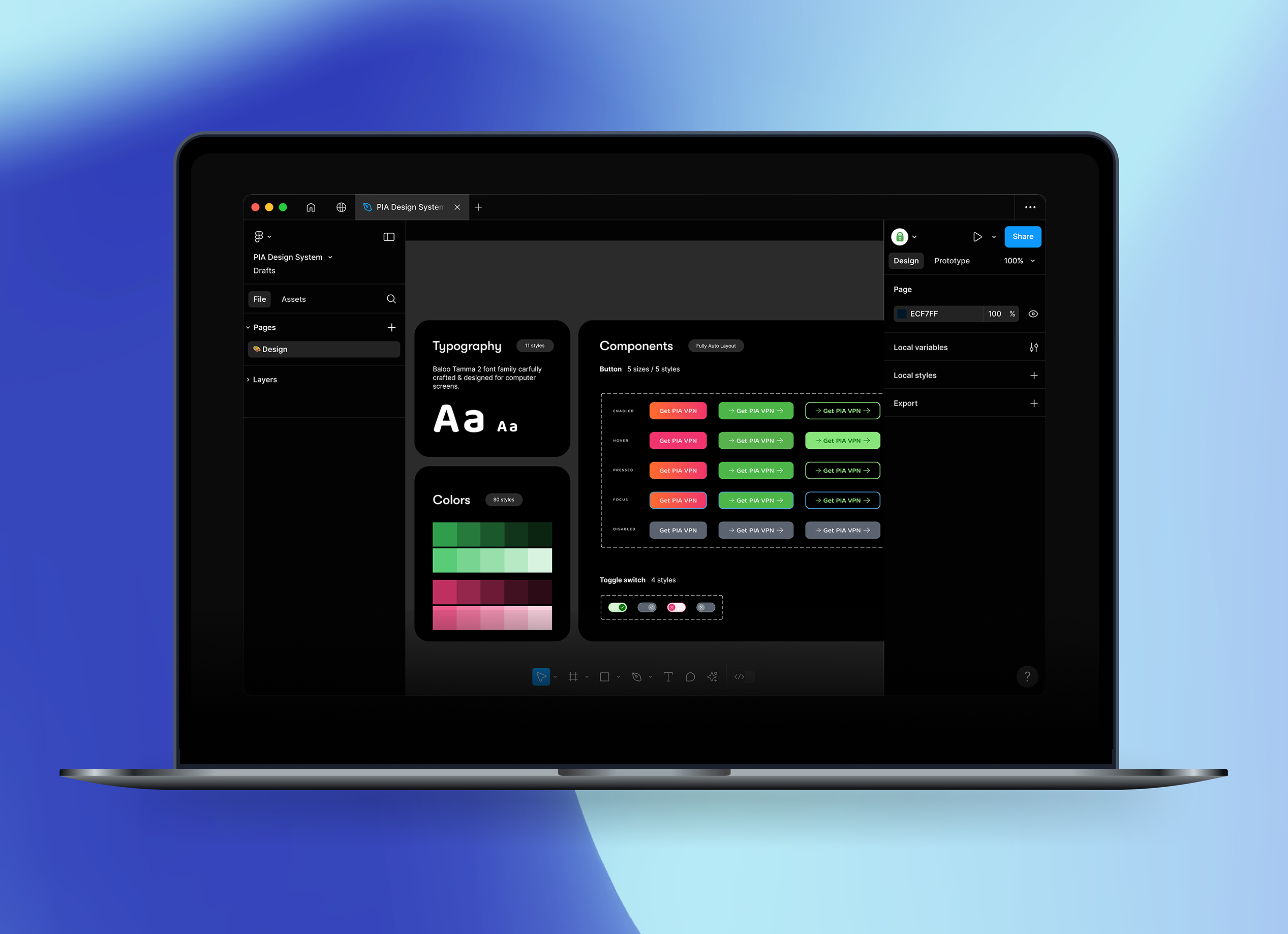
01 — Background
Private Internet Access (PIA) is a VPN service that helps users protect their privacy online.
The company's marketing website was made up of landing pages, pricing pages, comparison pages, and campaign experiences.
02 — The Problem
30 designers. 3 continents. No source of truth.
There was no shared library to design from. To build a new page, designers copied a similar one and adjusted it. With a small team, this worked — everyone knew where to find the latest version.
Then Kape acquired ExpressVPN, and the team grew from 10 designers to 30 across Romania, Asia, and Israel. The same workflow no longer scaled: everyone copied from different files, every page created new variations, and no one could say which version was right.
At that point, a design system wasn't a choice — it was the only way forward. But first, we needed to understand exactly what was broken.
03 — Research
Before designing anything, we researched the problem from three angles: the website, the design files, and the team.
The Website
We audited every page on the website and counted the variations of each pattern.
Buttons
All doing the same job: get the user to buy


Five buttons for one action — a user meets a different "buy" on every page.
Tables
All doing the same job: COMPARE OPTIONS


Five comparison layouts — each one designed from scratch, none of them reused.
Feature cards
All doing the same job: HIGHLIGHT A FEATURE


Seven executions of one pattern — different icons, different layouts, even different shadows.
Icons
All doing the same job: MARK A BENEFIT

Three checkmark styles in three different greens — even "yes" didn't have one look.
The same elements were designed differently on every page. Buttons, tables, cards, and illustrations all had multiple versions of the same thing. Each version was created by a different designer, based on a different file.
The Design Files
We looked for a source of truth in our design files, there wasn't one. A design system had been started once before, but it was built by one person, without involving the team, and was never completed. The working source files still belonged to a few veteran designers, and only they knew which version was correct.
The Team
Watching how designers actually worked confirmed it, every page started as a copy of another page. More designers meant more copies — and every copy drifted further from the original.
The confusion didn't stop at design. With no shared source, developers rebuilt elements from scratch instead of reusing existing ones — and rarely got them right the first time. I found myself walking them through Figma's Dev Mode change by change, or sending annotated screenshots just to spare them the search: this exact color, this button size, this spacing.
The audit showed the real problem, the variations weren't bad design — they were the result of a workflow where every page was copied from another. More designers meant more copies. More copies meant more variations.
04 — Insights
What the audit really told us
#1
The variations were a symptom, not the problem
The workflow was broken, not the design
#2
The source of truth was people, not files
That works at 10 designers — not at 30
#3
A system built alone stays alone
The previous attempt had no team behind it. This one would
The goal became clear: one source of truth, built with the team, that everyone would actually use.
05 — design approach
We didn't set out to redesign the website. The visual language mostly worked — it just needed order. So we set three rules for ourselves:
components already used across most pages became the standard
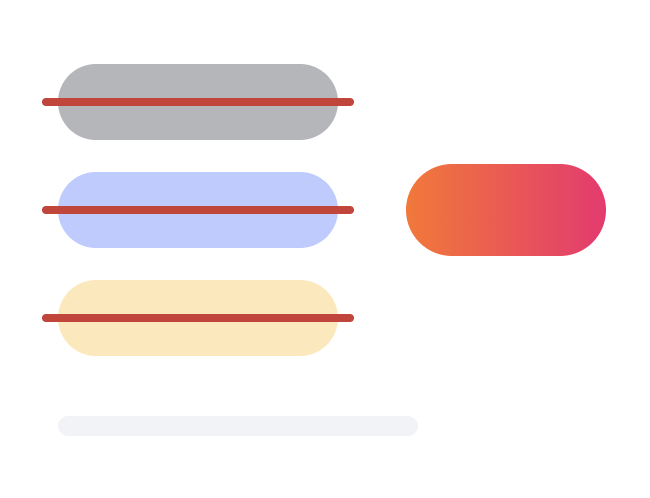
eliminate unnecessary variations before creating anything new
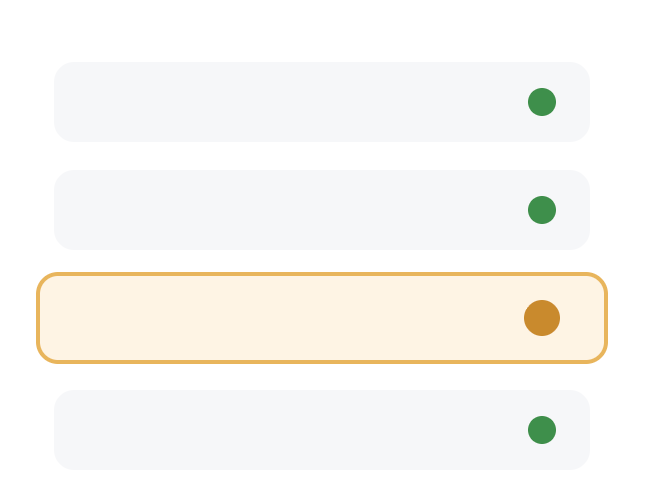
if something was consistent and functional, we left it alone
Every rule had the same purpose - make the system easier to adopt than to work around.
06 — the Solution
Turning recurring patterns into reusable building blocks
We didn't redesign from scratch — we standardized the patterns the audit surfaced into a shared system, built to support daily design work and future CRO experiments.
Foundations
Colors, type, spacing

Components
Buttons, cards, tables
Content Blocks
Heroes, features, CTAs
Pages
Assembled from blocks
Layer 01
Foundations
Before any component could exist, we had to agree on the basics: one set of colors, type styles, and spacing rules that every page shares.
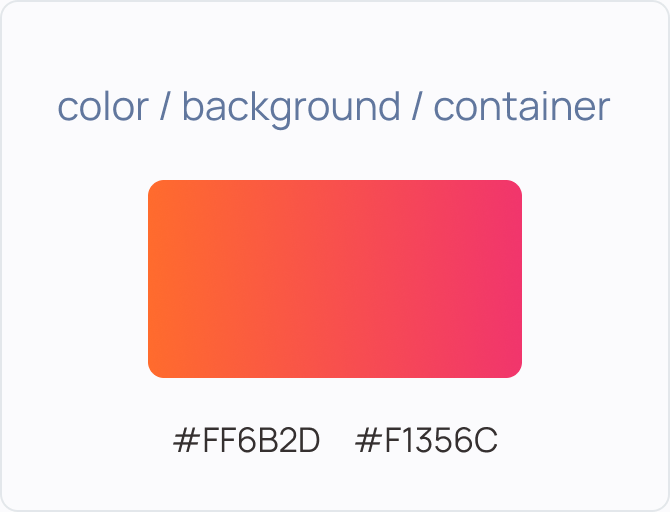
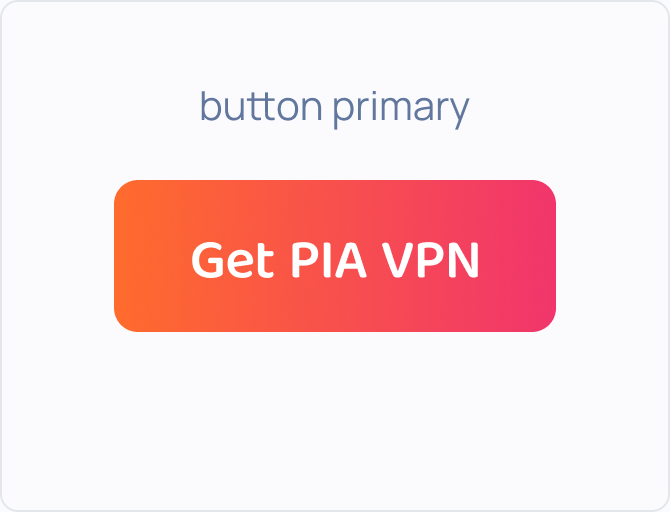
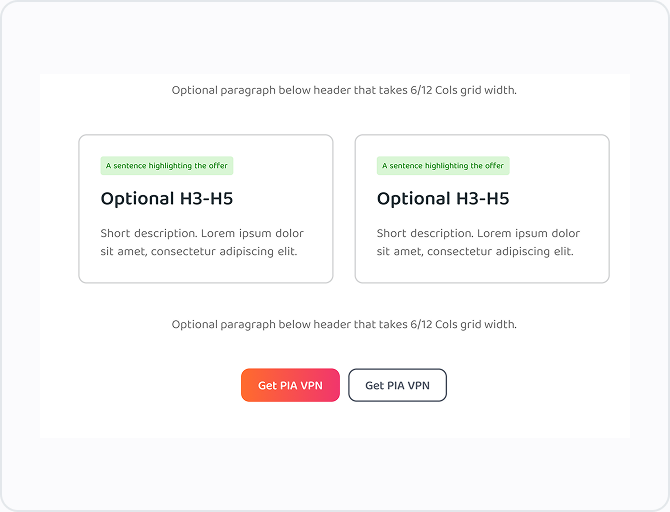
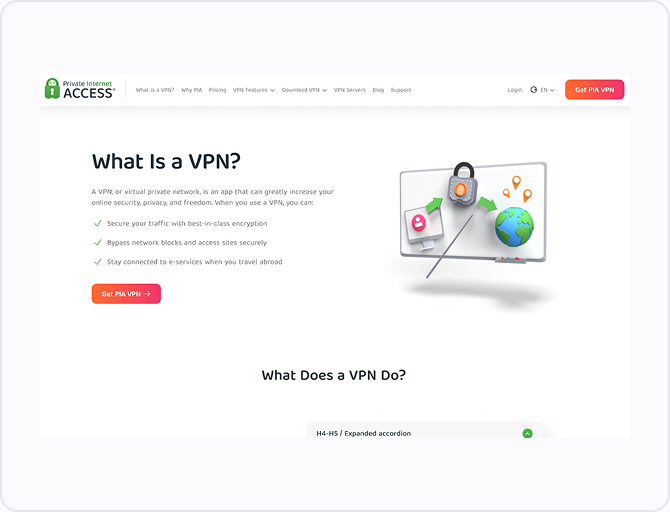
Below — how a single color token travels through the system: it's defined once, used by the button, placed in a block, and lands on the page. Change it once, and it updates everywhere.
Token
Component
Content block
Page
Layer 02
Components
Components are the everyday UI elements — buttons, cards, tables — rebuilt as one defined version instead of dozens of ad-hoc ones. Below is the button: one component, five variants for different jobs, and five states for every interaction. Designers pick — they no longer invent.
One component — five variants
Primary button

Checkout button

Secondary button

Tertiary button
Error button

One variant — five states
Enabled
Hover

Pressed
Focus

Disabled

Layer 03
Content Blocks
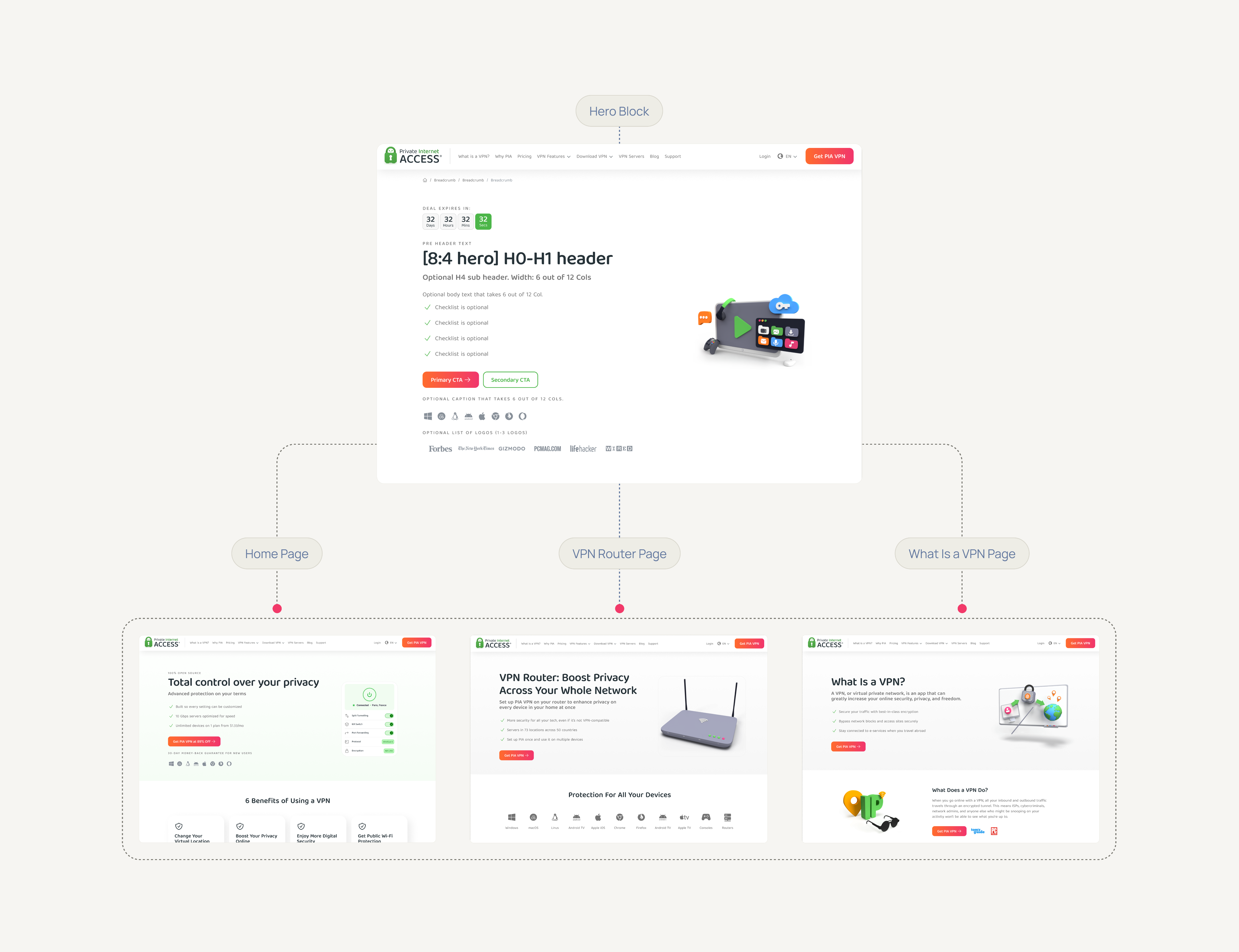
Marketing pages repeat the same sections — heroes, features, pricing, FAQs. We turned each into a ready-made block with defined slots for content. Below — the same Hero block powering three different pages: same structure, different content, zero rebuilding.
Layer 04
Pages
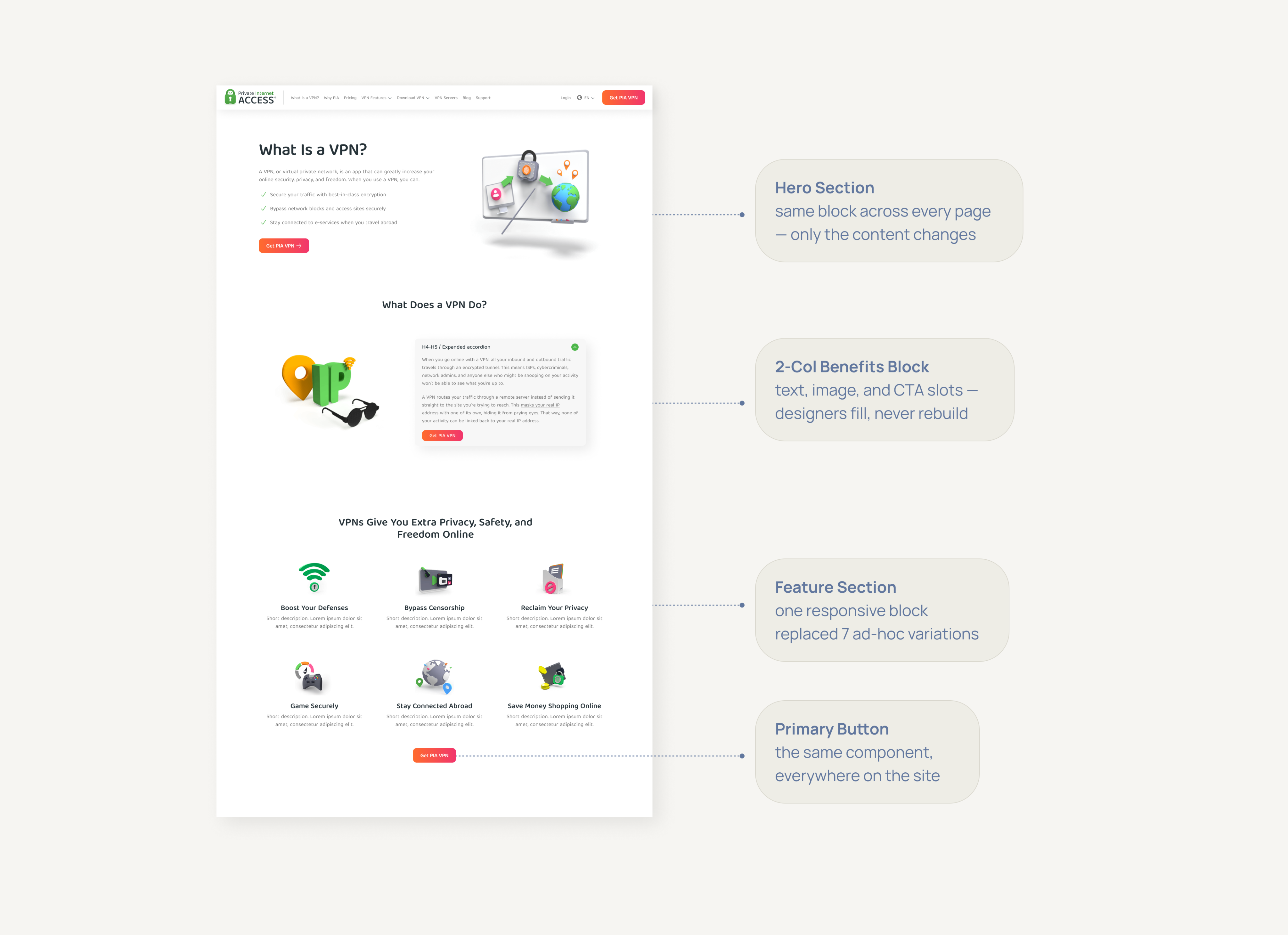
This is a real page from the site, built entirely from the system. Each label points to a section and shows where it comes from: the hero, the benefits block, the features grid, and the button — all of them existing pieces from the layers above. Assembling a page like this went from days of work to hours.
07 — Impact
More than a visual cleanup
Unlike the previous attempt, people actually use this system. A new designer joins, opens the file, and starts working. Design decisions no longer live in old files or in someone's memory.
Every variation that exists today is intentional — it has a defined job, a name, and one place to live. What disappeared wasn't variety; it was the accidental duplicates no one chose.
For Users
The site feels more consistent from page to page, making it easier to navigate and understand what to expect.
For Designers
Less time searching old files and rebuilding patterns, more time on real design problems. New designers open one file and start working.
For Developers
The walkthroughs and annotated screenshots disappeared — components carry their own specs. Changes now come from decisions, not duplicates.
For The Business
New pages and campaigns can build on existing patterns instead of creating more inconsistencies across the website.
Thirty designers, three continents — one source of truth.
Next Case Study
Building a Design System for PIA
Company
Private Internet Access
Role
Product Designer
Team
Designers · Developers · Stakeholders
01 — Background
Private Internet Access (PIA) is a VPN service that helps users protect their privacy online.
The company's marketing website was made up of landing pages, pricing pages, comparison pages, and campaign experiences.
02 — The Problem
30 designers. 3 continents. No source of truth.
There was no shared library to design from. To build a new page, designers copied a similar one and adjusted it. With a small team, this worked — everyone knew where to find the latest version.
Then Kape acquired ExpressVPN, and the team grew from 10 designers to 30 across Romania, Asia, and Israel. The same workflow no longer scaled: everyone copied from different files, every page created new variations, and no one could say which version was right.
At that point, a design system wasn't a choice — it was the only way forward. But first, we needed to understand exactly what was broken.
03 — Research
Before designing anything, we researched the problem from three angles: the website, the design files, and the team.
The Website
We audited every page on the website and counted the variations of each pattern.
Buttons
All doing the same job: get the user to buy

Five buttons for one action — a user meets a different "buy" on every page.
Tables
All doing the same job: COMPARE OPTIONS

Five comparison layouts — each one designed from scratch, none of them reused.
Feature cards
All doing the same job: HIGHLIGHT A FEATURE

Seven executions of one pattern — different icons, different layouts, even different shadows.
Icons
All doing the same job: MARK A BENEFIT
Three checkmark styles in three different greens — even "yes" didn't have one look.
The same elements were designed differently on every page. Buttons, tables, cards, and illustrations all had multiple versions of the same thing. Each version was created by a different designer, based on a different file.
The Design Files
We looked for a source of truth in our design files, there wasn't one. A design system had been started once before, but it was built by one person, without involving the team, and was never completed. The working source files still belonged to a few veteran designers, and only they knew which version was correct.
The Team
Watching how designers actually worked confirmed it, every page started as a copy of another page. More designers meant more copies — and every copy drifted further from the original.
The confusion didn't stop at design. With no shared source, developers rebuilt elements from scratch instead of reusing existing ones — and rarely got them right the first time. I found myself walking them through Figma's Dev Mode change by change, or sending annotated screenshots just to spare them the search: this exact color, this button size, this spacing.
The audit showed the real problem, the variations weren't bad design — they were the result of a workflow where every page was copied from another. More designers meant more copies. More copies meant more variations.
04 — Insights
What the audit really told us
#1
The variations were a symptom, not the problem
The workflow was broken, not the design
#2
The source of truth was people, not files
That works at 10 designers — not at 30
#3
A system built alone stays alone
The previous attempt had no team behind it. This one would
The goal became clear: one source of truth, built with the team, that everyone would actually use.
05 — design approach
We didn't set out to redesign the website. The visual language mostly worked — it just needed order. So we set three rules for ourselves:
components already used across most pages became the standard
eliminate unnecessary variations before creating anything new
if something was consistent and functional, we left it alone
Every rule had the same purpose - make the system easier to adopt than to work around.
06 — the Solution
Turning recurring patterns into reusable building blocks
We didn't redesign from scratch — we standardized the patterns the audit surfaced into a shared system, built to support daily design work and future CRO experiments.
Foundations
Colors, type, spacing

Components
Buttons, cards, tables
Content Blocks
Heroes, features, CTAs
Pages
Assembled from blocks
Layer 01
Foundations
Before any component could exist, we had to agree on the basics: one set of colors, type styles, and spacing rules that every page shares.
Below — how a single color token travels through the system: it's defined once, used by the button, placed in a block, and lands on the page. Change it once, and it updates everywhere.
Token
Component
Content block
Page
Layer 02
Components
Components are the everyday UI elements — buttons, cards, tables — rebuilt as one defined version instead of dozens of ad-hoc ones. Below is the button: one component, five variants for different jobs, and five states for every interaction. Designers pick — they no longer invent.
One component — five variants
Primary button
Checkout button
Secondary button
Tertiary button
Error button
One variant — five states
Enabled
Hover
Pressed
Focus
Disabled
Layer 03
Content Blocks
Marketing pages repeat the same sections — heroes, features, pricing, FAQs. We turned each into a ready-made block with defined slots for content. Below — the same Hero block powering three different pages: same structure, different content, zero rebuilding.
Layer 04
Pages
This is a real page from the site, built entirely from the system. Each label points to a section and shows where it comes from: the hero, the benefits block, the features grid, and the button — all of them existing pieces from the layers above. Assembling a page like this went from days of work to hours.
07 — Impact
More than a visual cleanup
Unlike the previous attempt, people actually use this system. A new designer joins, opens the file, and starts working. Design decisions no longer live in old files or in someone's memory.
Every variation that exists today is intentional — it has a defined job, a name, and one place to live. What disappeared wasn't variety; it was the accidental duplicates no one chose.
For Users
The site feels more consistent from page to page, making it easier to navigate and understand what to expect.
For Designers
Less time searching old files and rebuilding patterns, more time on real design problems. New designers open one file and start working.
For Developers
The walkthroughs and annotated screenshots disappeared — components carry their own specs. Changes now come from decisions, not duplicates.
For The Business
New pages and campaigns can build on existing patterns instead of creating more inconsistencies across the website.
30 designers, 3 continents — one source of truth.
Next Case Study
Building a Design System for PIA
Company
Private Internet Access
Role
Product Designer
Team
Designers · Developers · Stakeholders
01 — Background
Private Internet Access (PIA) is a VPN service that helps users protect their privacy online.
The company's marketing website was made up of landing pages, pricing pages, comparison pages, and campaign experiences.
02 — The Problem
30 designers. 3 continents. No source of truth.
There was no shared library to design from. To build a new page, designers copied a similar one and adjusted it. With a small team, this worked — everyone knew where to find the latest version.
Then Kape acquired ExpressVPN, and the team grew from 10 designers to 30 across Romania, Asia, and Israel. The same workflow no longer scaled: everyone copied from different files, every page created new variations, and no one could say which version was right.
At that point, a design system wasn't a choice — it was the only way forward. But first, we needed to understand exactly what was broken.
03 — Research
Before designing anything, we researched the problem from three angles: the website, the design files, and the team.
The Website
We audited every page on the website and counted the variations of each pattern.
Buttons
All doing the same job: get the user to buy
Five buttons for one action — a user meets a different "buy" on every page.
Tables
All doing the same job: COMPARE OPTIONS

Five comparison layouts — each one designed from scratch, none of them reused.
Feature cards
All doing the same job: HIGHLIGHT A FEATURE

Seven executions of one pattern — different icons, different layouts, even different shadows.
Icons
All doing the same job: MARK A BENEFIT

Three checkmark styles in three different greens — even "yes" didn't have one look.
The same elements were designed differently on every page. Buttons, tables, cards, and illustrations all had multiple versions of the same thing. Each version was created by a different designer, based on a different file.
The Design Files
We looked for a source of truth in our design files, there wasn't one. A design system had been started once before, but it was built by one person, without involving the team, and was never completed. The working source files still belonged to a few veteran designers, and only they knew which version was correct.
The Team
Watching how designers actually worked confirmed it, every page started as a copy of another page. More designers meant more copies — and every copy drifted further from the original.
The confusion didn't stop at design. With no shared source, developers rebuilt elements from scratch instead of reusing existing ones — and rarely got them right the first time. I found myself walking them through Figma's Dev Mode change by change, or sending annotated screenshots just to spare them the search: this exact color, this button size, this spacing.
The audit showed the real problem, the variations weren't bad design — they were the result of a workflow where every page was copied from another. More designers meant more copies. More copies meant more variations.
04 — Insights
What the audit really told us
#1
The variations were a symptom, not the problem
The workflow was broken, not the design
#2
The source of truth was people, not files
That works at 10 designers — not at 30
#3
A system built alone stays alone
The previous attempt had no team behind it. This one would
The goal became clear: one source of truth, built with the team, that everyone would actually use.
05 — design approach
We didn't set out to redesign the website. The visual language mostly worked — it just needed order. So we set three rules for ourselves:
components already used across most pages became the standard
eliminate unnecessary variations before creating anything new
if something was consistent and functional, we left it alone
Every rule had the same purpose - make the system easier to adopt than to work around.
06 — the Solution
Turning recurring patterns into reusable building blocks
We didn't redesign from scratch — we standardized the patterns the audit surfaced into a shared system, built to support daily design work and future CRO experiments.
Foundations
Colors, type, spacing
Components
Buttons, cards, tables
Content Blocks
Heroes, features, CTAs
Pages
Assembled from blocks
Layer 01
Foundations
Before any component could exist, we had to agree on the basics: one set of colors, type styles, and spacing rules that every page shares.
Below — how a single color token travels through the system: it's defined once, used by the button, placed in a block, and lands on the page. Change it once, and it updates everywhere.
Token
Component
Content block
Page
Layer 02
Components
Components are the everyday UI elements — buttons, cards, tables — rebuilt as one defined version instead of dozens of ad-hoc ones. Below is the button: one component, five variants for different jobs, and five states for every interaction. Designers pick — they no longer invent.
One component — five variants
Primary button
Checkout button
Secondary button
Tertiary button
Error button
One variant — five states
Enabled
Hover
Pressed
Focus
Disabled
Layer 03
Content Blocks
Marketing pages repeat the same sections — heroes, features, pricing, FAQs. We turned each into a ready-made block with defined slots for content. Below — the same Hero block powering three different pages: same structure, different content, zero rebuilding.
Layer 04
Pages
This is a real page from the site, built entirely from the system. Each label points to a section and shows where it comes from: the hero, the benefits block, the features grid, and the button — all of them existing pieces from the layers above. Assembling a page like this went from days of work to hours.
07 — Impact
More than a visual cleanup
Unlike the previous attempt, people actually use this system. A new designer joins, opens the file, and starts working. Design decisions no longer live in old files or in someone's memory.
Every variation that exists today is intentional — it has a defined job, a name, and one place to live. What disappeared wasn't variety; it was the accidental duplicates no one chose.
For Users
The site feels more consistent from page to page, making it easier to navigate and understand what to expect.
For Designers
Less time searching old files and rebuilding patterns, more time on real design problems. New designers open one file and start working.
For Developers
The walkthroughs and annotated screenshots disappeared — components carry their own specs. Changes now come from decisions, not duplicates.
For The Business
New pages and campaigns can build on existing patterns instead of creating more inconsistencies across the website.
30 designers, 3 continents — one source of truth.
Next Case Study