
Designing for reassurance
Redesigning a security account around what 95% of users actually come for
Company
Intego
Role
Product Designer
Team
PM · Product Designer · Design Lead · Developers · Copywriter
01 — Background
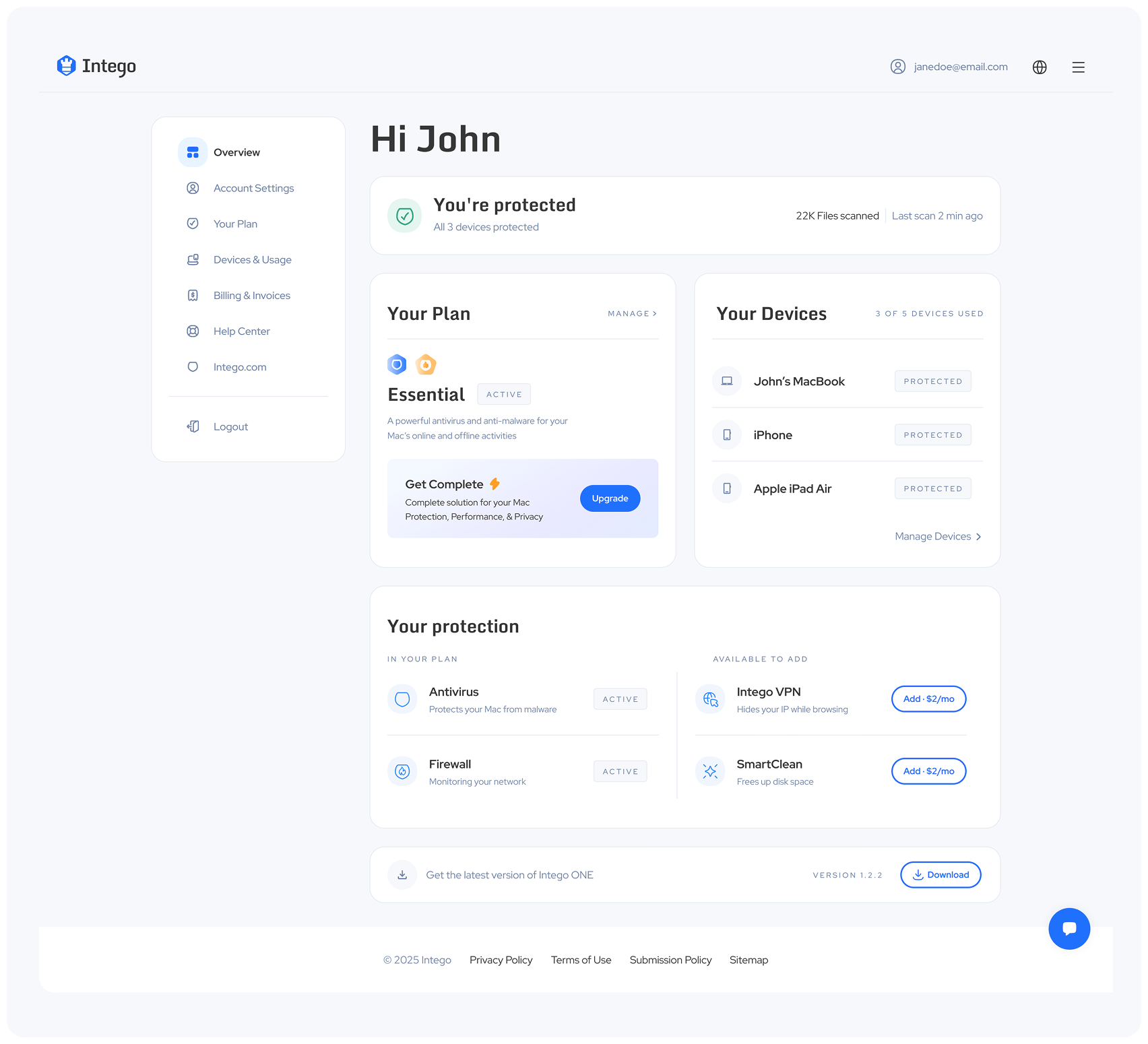
A product shift created a new role for the Account.
Intego was moving from separate security products toward a unified experience around IntegoONE.
THE DESIGN CHALLENGE
Turn the Account into a growth channel.
The goal was to drive more sales and upgrades through the Account.
Product direction
One connected experience
Bring separate products into a clearer account level view around IntegoONE.
Business goal
Upgrade opportunities
Introduce new security features and upsell opportunities in the Account area.
02 — The Problem
We saw the design issues but not the user problem
The existing Account was overloaded and lacked a clear hierarchy. Important information was buried, making it difficult to know what to focus on.

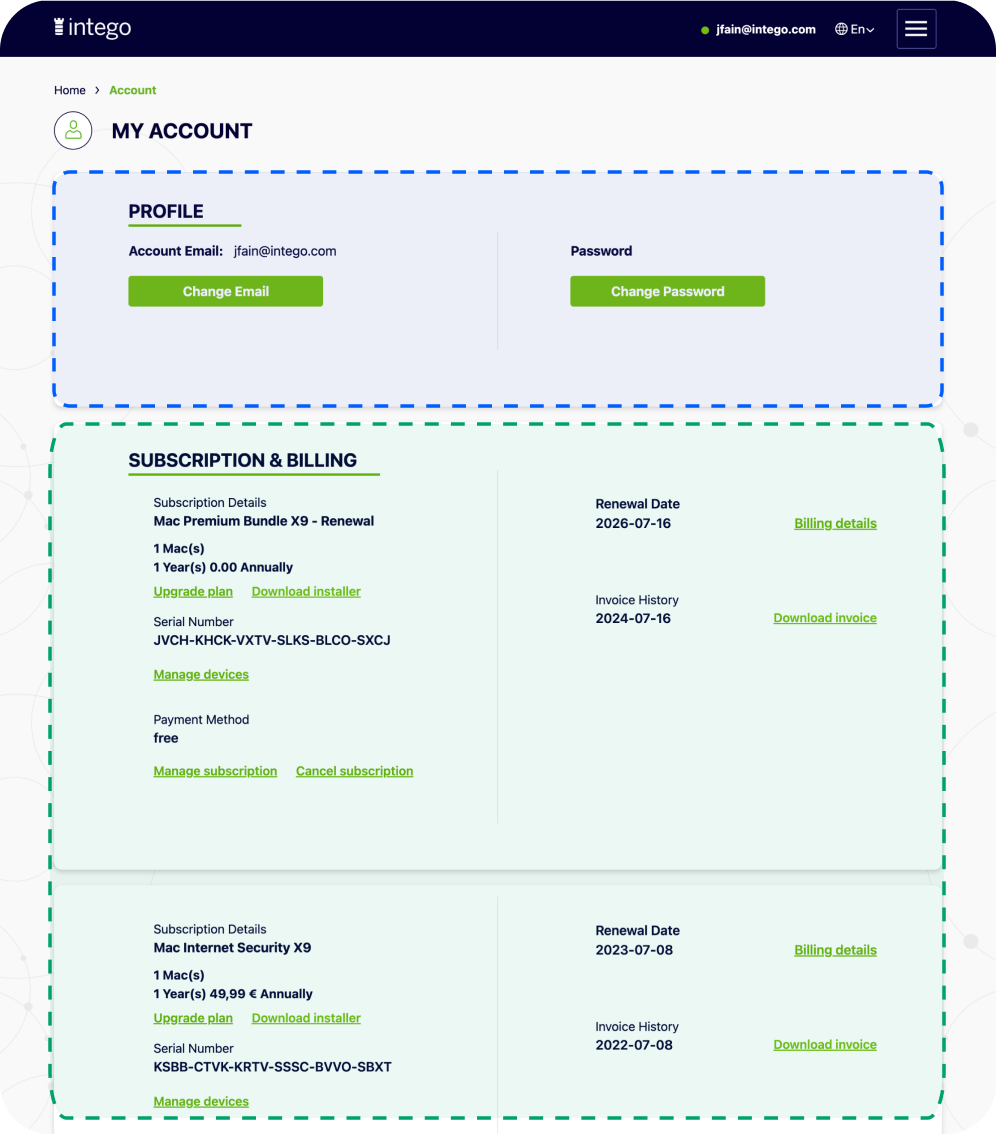
UX AUDIT · THREE FINDINGS
Everything had equal weight.
01
PRIORITY
Least-used content came first.
Password and email controls occupied the most prominent area of the page.
02
STATES
Different states looked identical.
Active and expired subscriptions usedthe same visual treatment.
03 — Research
If everything is there — why isn’t it clear?
I focused the research on one question: what do users actually come to the Account to do?
KEY INSIGHT
Users came for reassurance, not management.
PERSONAS
Why users came to the account.

95%
wanted reassurance

Check that protection was working

Manage controls and settings
EXISTING PRODUCT
How Intego already communicated security.
A pattern users already understood
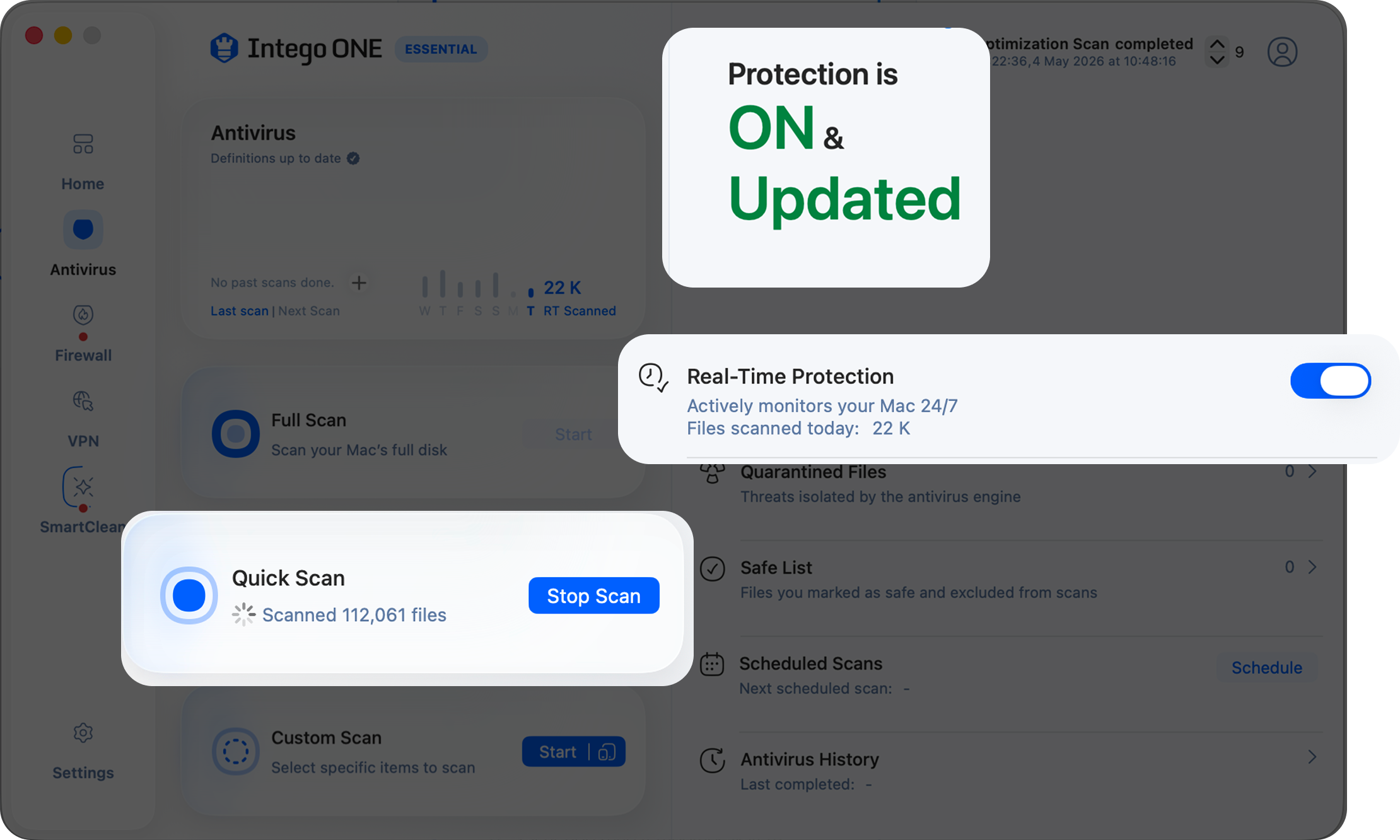
COMPETITORS
The common security account pattern.
01
Status first
Answer before controls
02
Recent activity
Evidence behind reassurance
03
Clear feedback
Visible state and action
EXISTING PRODUCT
How Intego already communicated security.
A pattern users already understood
04 — design approach
Three principles shaped the redesign.
Based on the research findings, I created a clear hierarchy: protection status first, supporting evidence second, and account controls within reach.

01 · STATUS FIRST
Start with the answer.
Give users an immediate overview of their protection status.
Your Mac is protected
02 · CLEAR STATUS
Make protection clear.
Show protection clearly—not through plan details.
YOUR DEVICES
MacBook Pro
Protected
iPhone
Needs attention
iPad Air
Protected
03 · RECENT ACTIVITY
Show recent proof.
Use recent activity to build trust.
Live and protected


22,481
files scanned today
The design.
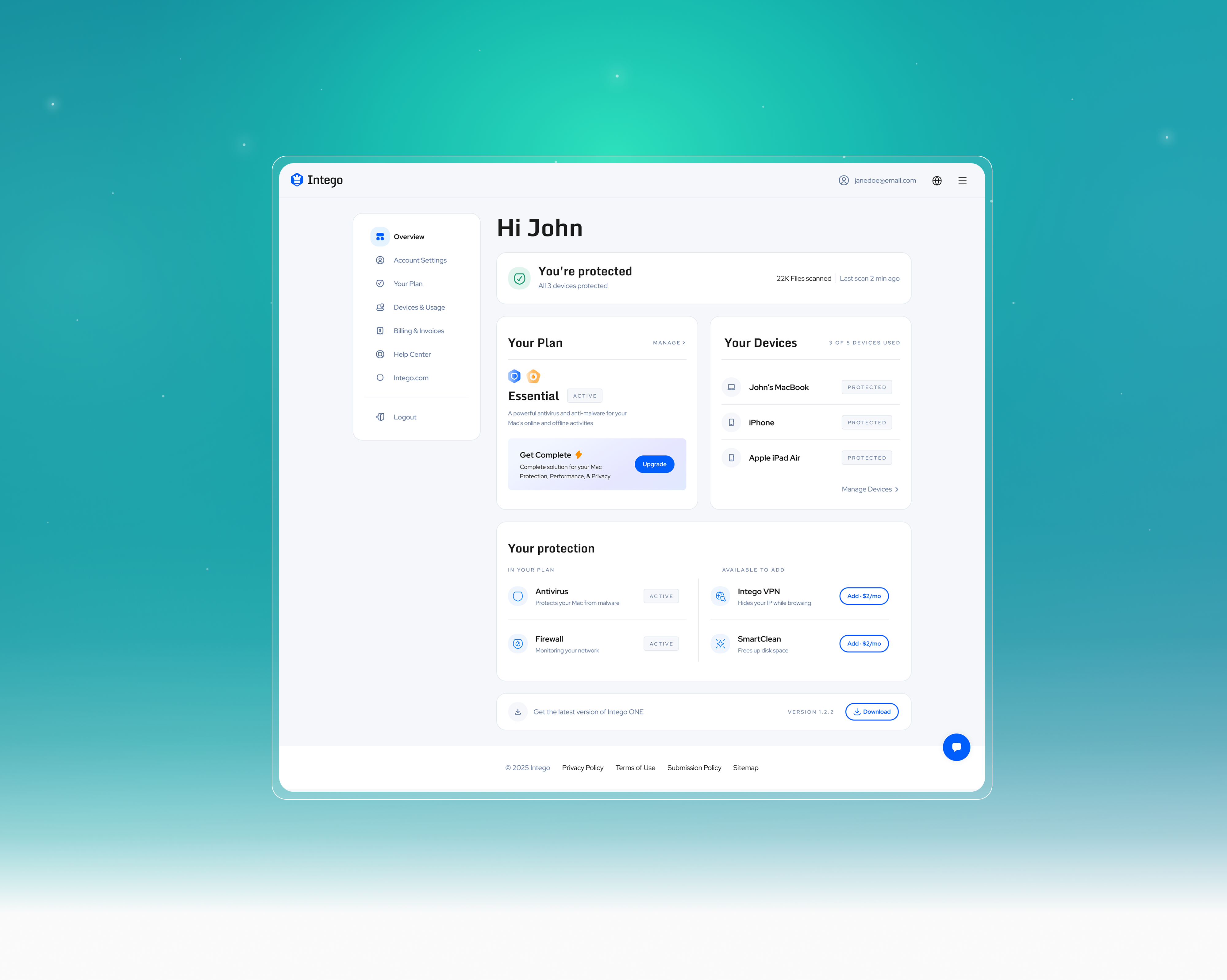
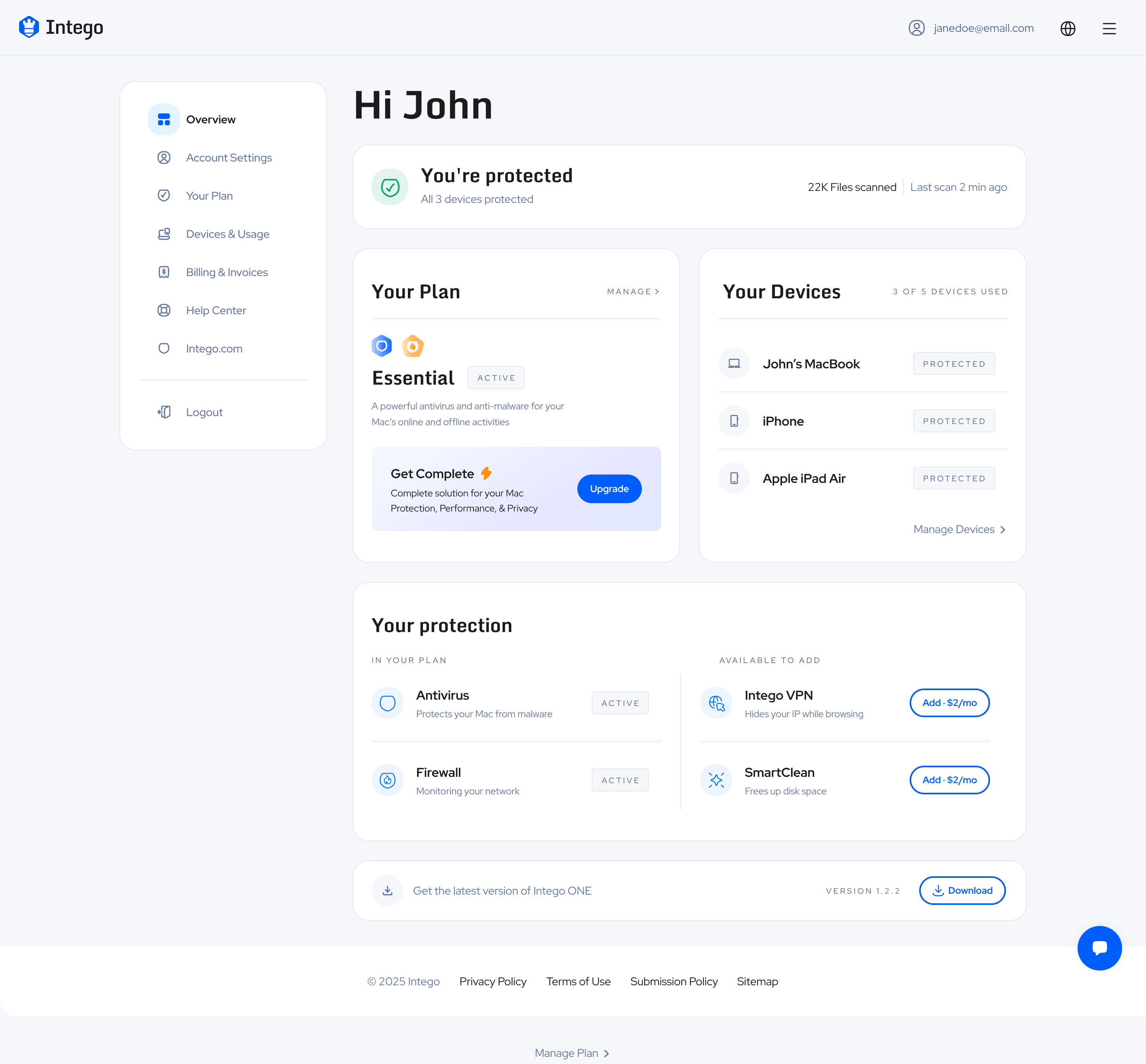
01 / STATUS + EVIDENCE
Status first,
supported by evidence.
The account answers “Am I protected?” first—then supports that answer with device coverage and recent activity.


Status
Scope
Recent activity

Answer → Scope → Evidence: “You’re protected” gives the answer, device coverage explains where, and recent scan activity makes it credible.
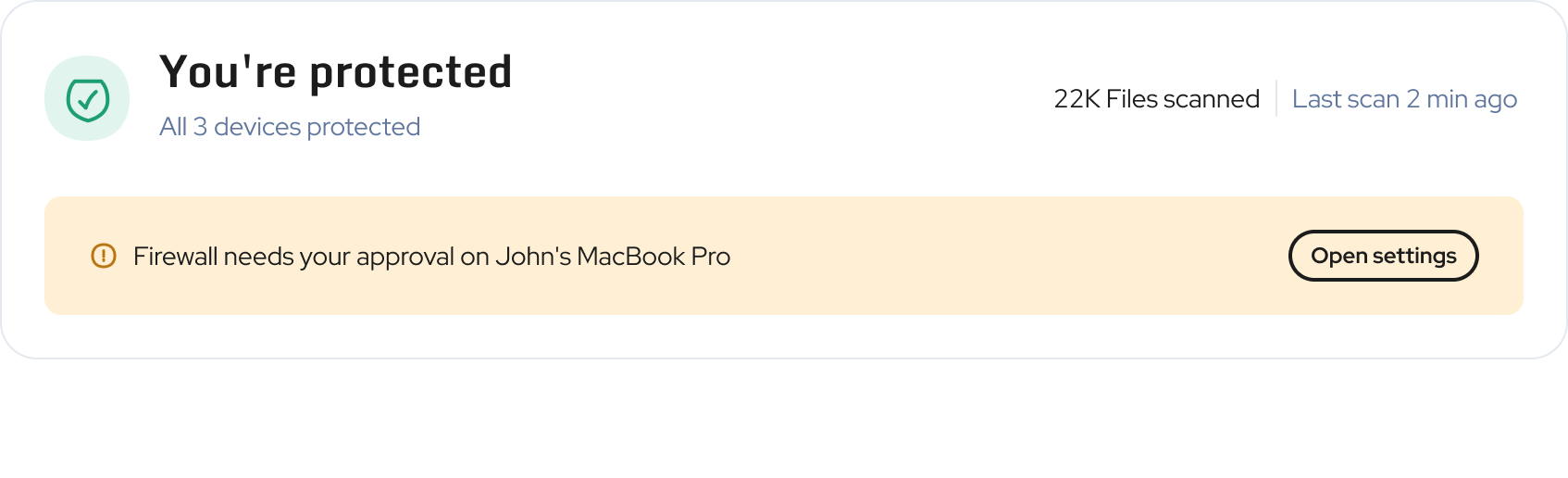
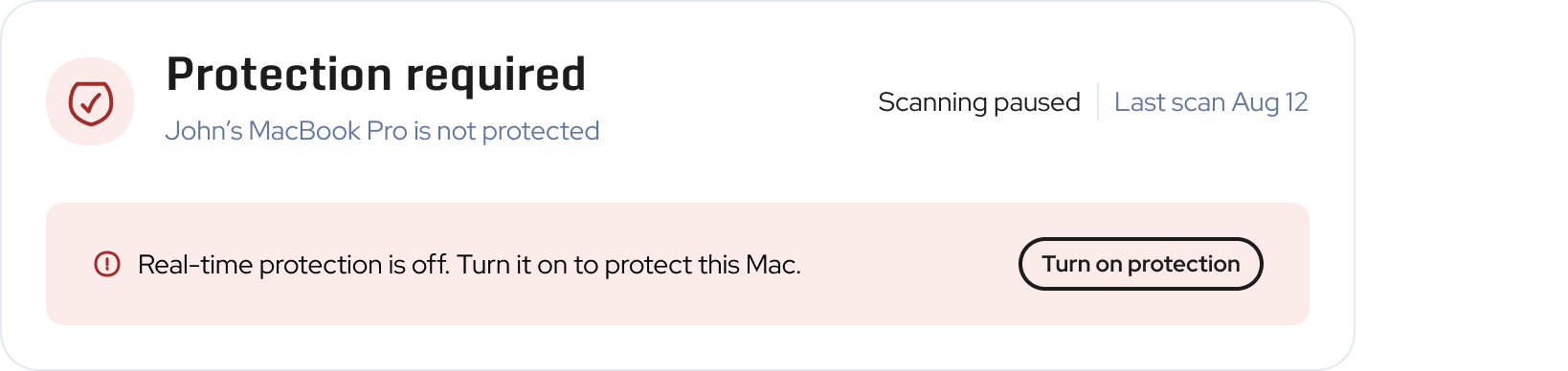
02 / STATES
One system. Different levels of urgency.
Three examples show how the message adapts, from reassurance to corrective action.

PROTECTED
Confirm protection.
Everything is working. No action is needed.


ACTION NEEDED
Highlight the issue.
The user is still protected, but one item needs attention.

PROTECTION REQUIRED
Explain the risk. Show the action.
Protection is off and requires immediate action.
03 / USER + BUSINESS
User clarity +
business opportunity.
Existing protection and available add-ons are separated, so users understand what they have before being asked to buy more.
DESIGN DECISION
User clarity creates room for growth.
Upgrade paths remain visible without competing with the user's reassurance.
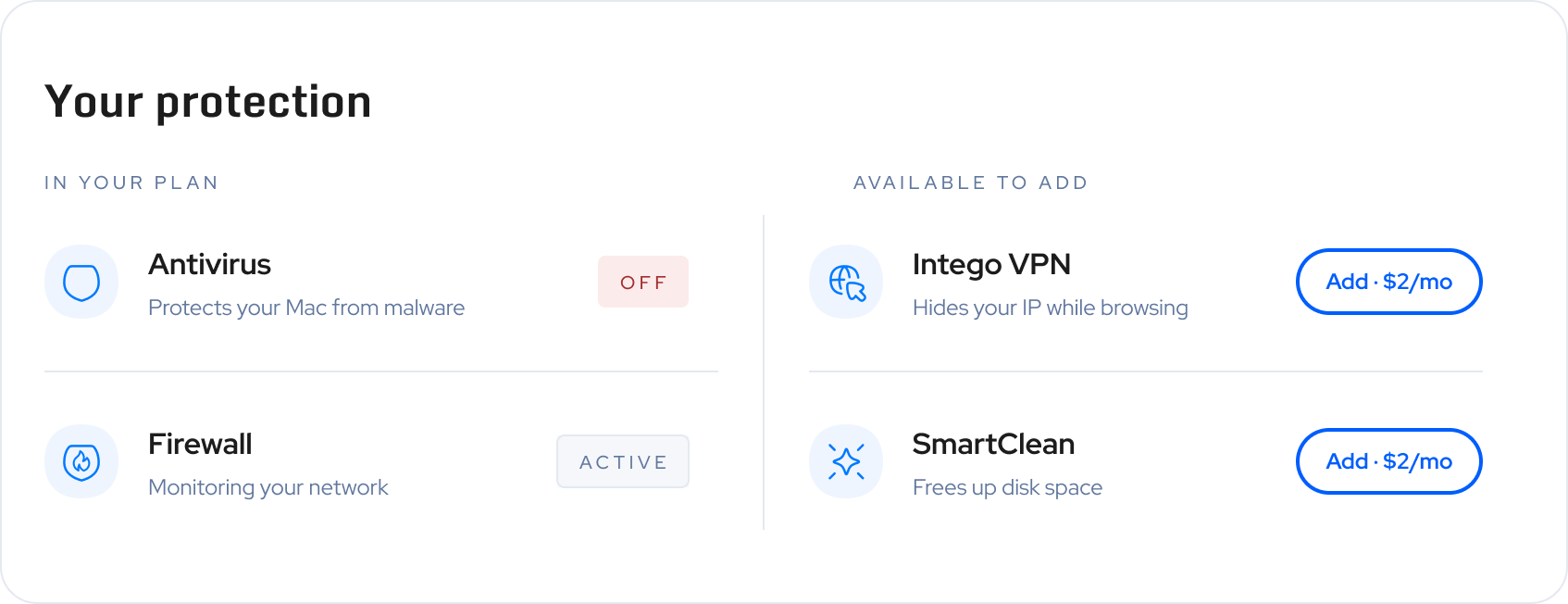

What this shows: a commercial opportunity placed inside a clear information hierarchy, instead of interrupting the security story.
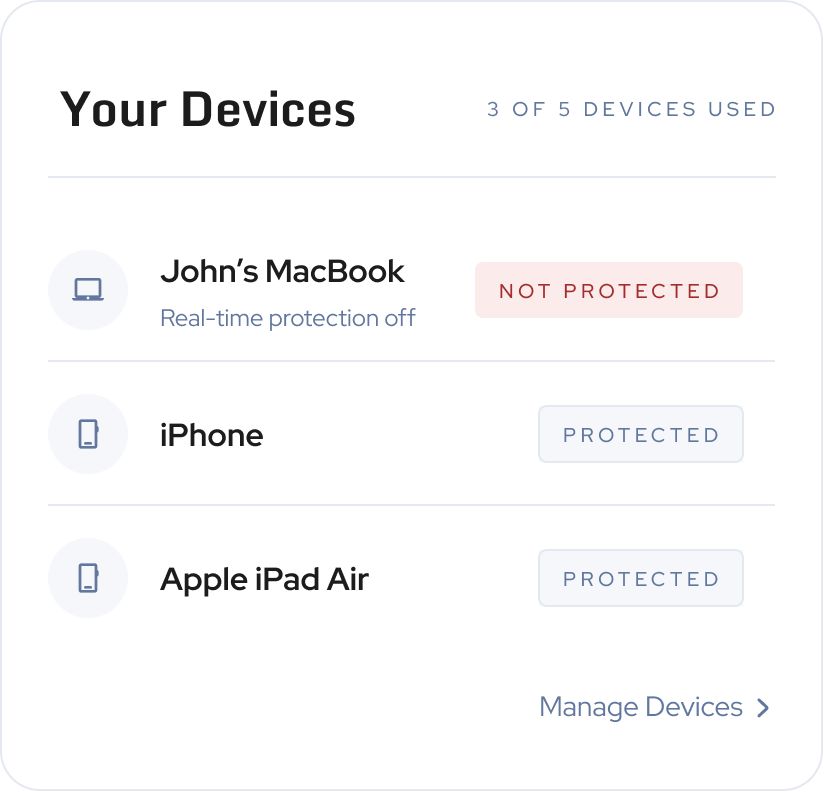
04 / DEVICES
From overall status to the device behind it.
The device list continues the status story. Healthy devices stay quiet; only exceptions receive an explanatory line.

Scannable protection
Extra detail only when useful
A direct path to manage each device
Your Plan
Manage


Essential
Active
A powerful antivirus and anti-malware for your Mac’s online and offline activities
Get Complete

Complete solution for your Mac Protection, Performance, & Privacy
Upgrade
05 / YOUR PLAN
Plan details, kept in their place.
Subscription information remains easy to find, but follows protection status and devices instead of defining the account's opening view.
Plan name and renewal at a glance
Secondary actions stay secondary
Protection remains the page's anchor
Next Case Study